![WellDatabase-Rect-1000x159-1.png]](https://support.welldatabase.com/hs-fs/hubfs/WellDatabase-Rect-1000x159-1.png?height=40&name=WellDatabase-Rect-1000x159-1.png)
This allows you to quickly review files without downloading additional software or saving files locally to your computer.
Supported Browser Viewers
• Image files
• PDF files
• Log files (.las)
Upload LAS Logs to the Browser Viewer
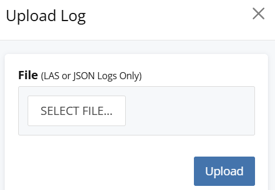
You can also upload LAS or JSON log files directly into the WellDatabase log viewer for review within your browser.
Frequently Asked Questions
Q: Do I need to download files before viewing them?
A: No. Supported files can be opened directly within the WellDatabase browser viewer.
Q: What file types can be viewed in the browser?
A: WellDatabase supports in-browser viewing for image files, PDF files, and LAS log files.
Q: Which subscriptions include browser file viewers?
A: Image and PDF browser viewers are available with all paid subscriptions. The LAS log viewer and LAS/JSON log uploads are available with Plus subscriptions and above.
Q: Can I view files with a Lite subscription?
A: No. Browser file viewers and file downloads require a paid subscription.
Q: Do I need specialized software to view supported files?
A: No. Supported files can be viewed directly within WellDatabase using the built-in browser viewer.
Q: Can I still download files if needed?
A: Yes. Files can still be downloaded locally if you want to save or open them outside of WellDatabase. See: How do I download a file?
Q: Can I upload my own LAS files into the browser viewer?
A: Yes. LAS and JSON log files can be uploaded directly into the WellDatabase log viewer. This feature is available with Plus subscriptions and above.
Explore additional articles by searching the topics on the left. If you have any questions, feel free to email support@welldatabase.com