![WellDatabase-Rect-1000x159-1.png]](https://support.welldatabase.com/hs-fs/hubfs/WellDatabase-Rect-1000x159-1.png?height=40&name=WellDatabase-Rect-1000x159-1.png)
The WellDatabase map provides quick access and visualization of millions of wells across the United States and Canada.
As you zoom in or apply filters, clusters automatically break into smaller groups until individual well spots become visible. Individual well spots appear when fewer than 50,000 wells remain on the map.
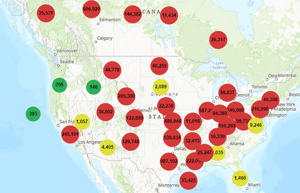
Cluster size and color indicate relative well density across the map.
State-Level Clusters
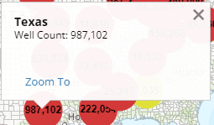
When viewing large geographic areas, wells are grouped into state-level clusters. Clicking a cluster displays the state name and total well count for that area.
County-Level Clusters
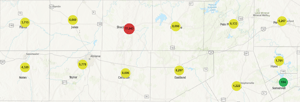
Zooming further into the map breaks state clusters into county-level groupings. County clusters display the county name and the number of wells within that area.
Individual Well Spots
Once fewer than 50,000 wells remain on the map, individual well spots become visible.
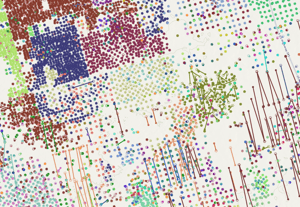
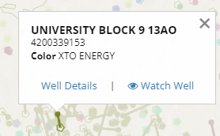
Clicking on a well spot opens additional information, including:
• Well Name
• API Number
• Link to Well Details
Frequently Asked Questions
Q: Why are wells grouped together on the map?
A: WellDatabase uses map clustering to improve map performance and make large well datasets easier to visualize.
Q: When do individual well spots appear on the map?
A: Individual well spots appear once fewer than 50,000 wells remain on the map.
Q: Can I open well details directly from the map?
A: Yes. Clicking an individual well spot provides quick access to the Well Details page and additional well information.
Q: What information is shown when I click a well spot?
A: Selecting a well spot displays information such as the well name, API number, and a direct link to the Well Details page.
Q: Why do clusters change as I zoom in or apply filters?
A: Clusters automatically regroup based on the current zoom level and the number of wells displayed on the map.
Explore additional articles by searching the topics on the left. If you have any questions, feel free to email support@welldatabase.com