![WellDatabase-Rect-1000x159-1.png]](https://support.welldatabase.com/hs-fs/hubfs/WellDatabase-Rect-1000x159-1.png?height=40&name=WellDatabase-Rect-1000x159-1.png)
Use filters to narrow your well list to the wells you want to export. Once your list is set, click Export All. This opens the Data Export Wizard.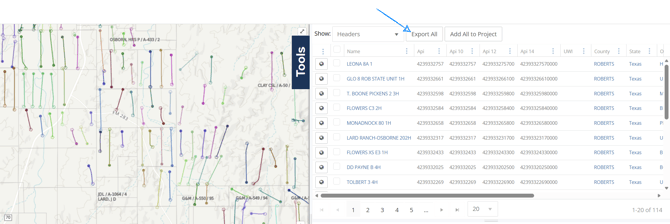
Data Export Wizard → Step 1:
Select one of the following options:
-
Last used settings
-
New
-
Or choose a template
Data Export Wizard → Step 2:
Choose PHDwin as your export format.
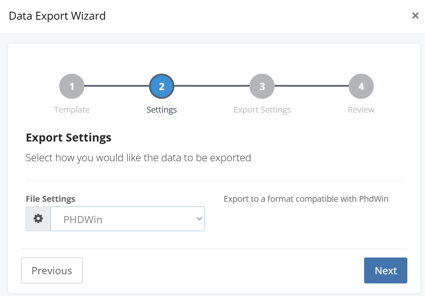
Data Export Wizard → Step 3:
Select how production should be exported:
Note: We recommend exporting at the reported level of production. Review the following blog for more information: Production Reporting
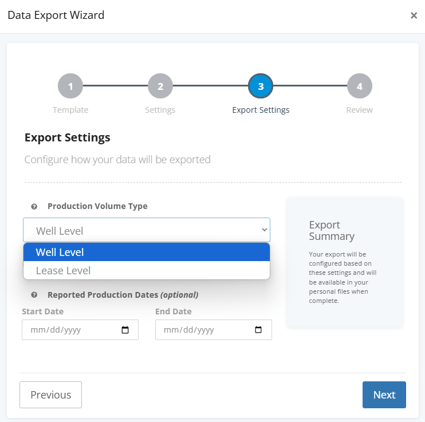
Well Level Export
Use this option for PHDwin projects set up at the well level.
-
Outputs well-level production.
-
In states where production is reported at the lease level, allocated values will be used. (not recommended)
Lease Level Export
Use this option when you need lease-level production for each case.
-
Outputs lease-level production
Optional Selections
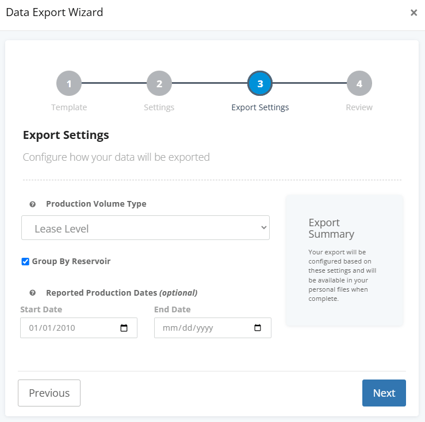
- Group by Reservoir
- Groups production by reservoir where applicable.
- Select a date range to limit which months or years of production are exported.
- If this is left blank, the entire history of production will be exported.
- If the End Date is left blank, production will export from the Start Date through the current date.
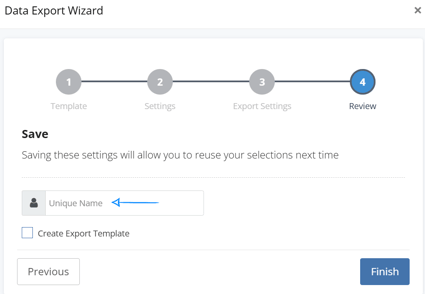
Data Export Wizard → Step 4:
Enter a name for your export to help identify it later.
Retrieve Your Export:
To download your file:
-
Go to My → Exports
-
Click the arrow down
 next to the export name to download the file to your computer
To return to your well list:
-
Navigate to Explore → Wells at the top of the screen
Prepare the File for Import:
Before importing your file into PHDwin, unzip the exported folder so PHDwin can recognize the file in your file directory.
Additional Resources:
Blogs:
Videos:
-
PHDwin Week 2025
- WellDatabase and PHDwin Q&A
Explore related articles using the topics on the left. If you need additional help, contact us at support@welldatabase.com